
How to navigate your courses
All AIHR learning is 100% online and self-paced, allowing you to learn at your own speed and on your own schedule. This guide will help you find your courses, navigate lessons, track your progress, and get support when you need it.
Find your courses
To explore the learning available through your membership, select All Courses from the left-hand menu of your AIHR learning platform.
Here, you can browse Certificate Programs, Courses, Mini-Courses, and Tutorials, as well as view your progress in each.
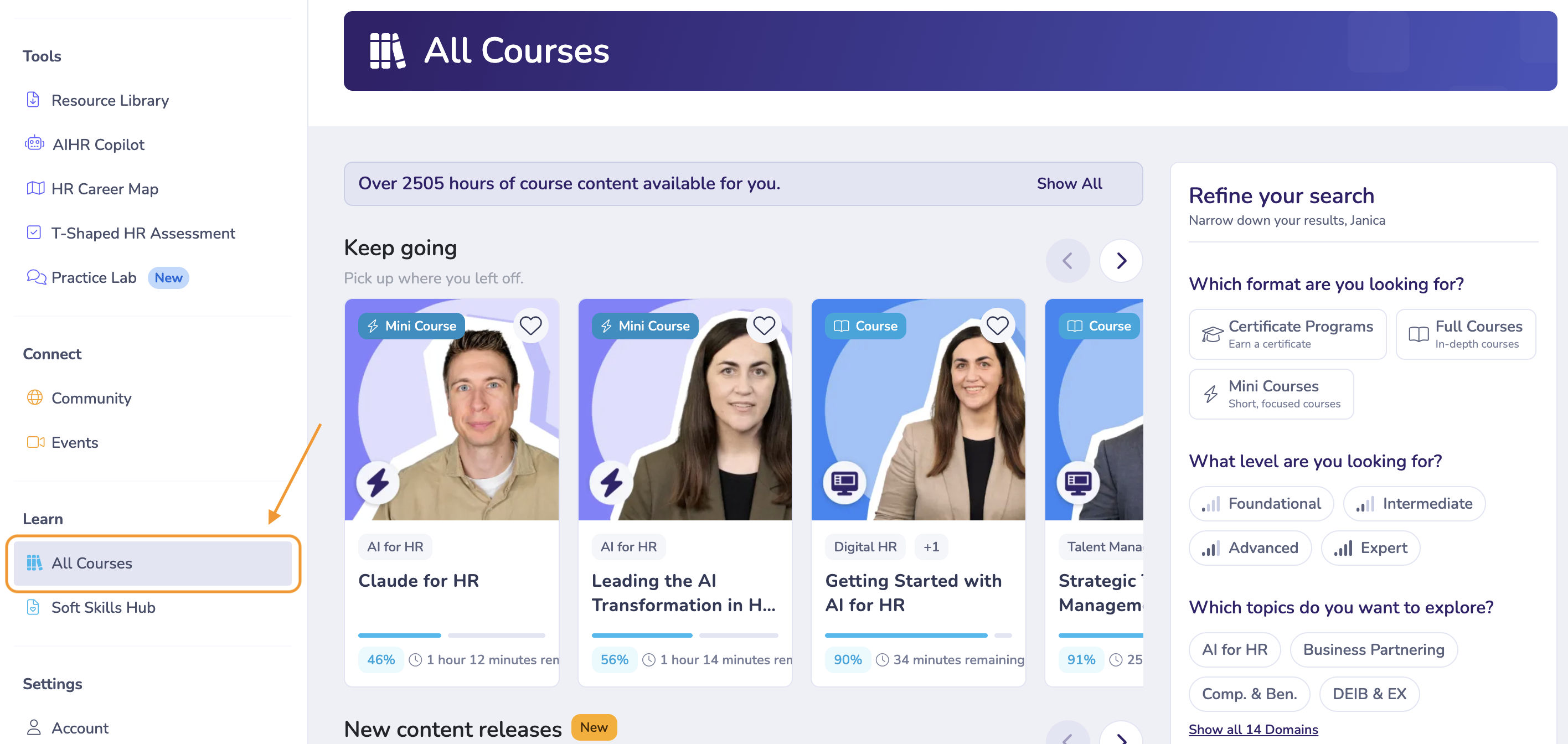
Filter and search for courses
On the All Courses page, you can use the filters on the right side to narrow down your options by:
- HR Domain/Topic
- Course Type
- Learning Status
- Level
You can also use the search bar to find courses related to a specific topic or skill.
Start or continue a course
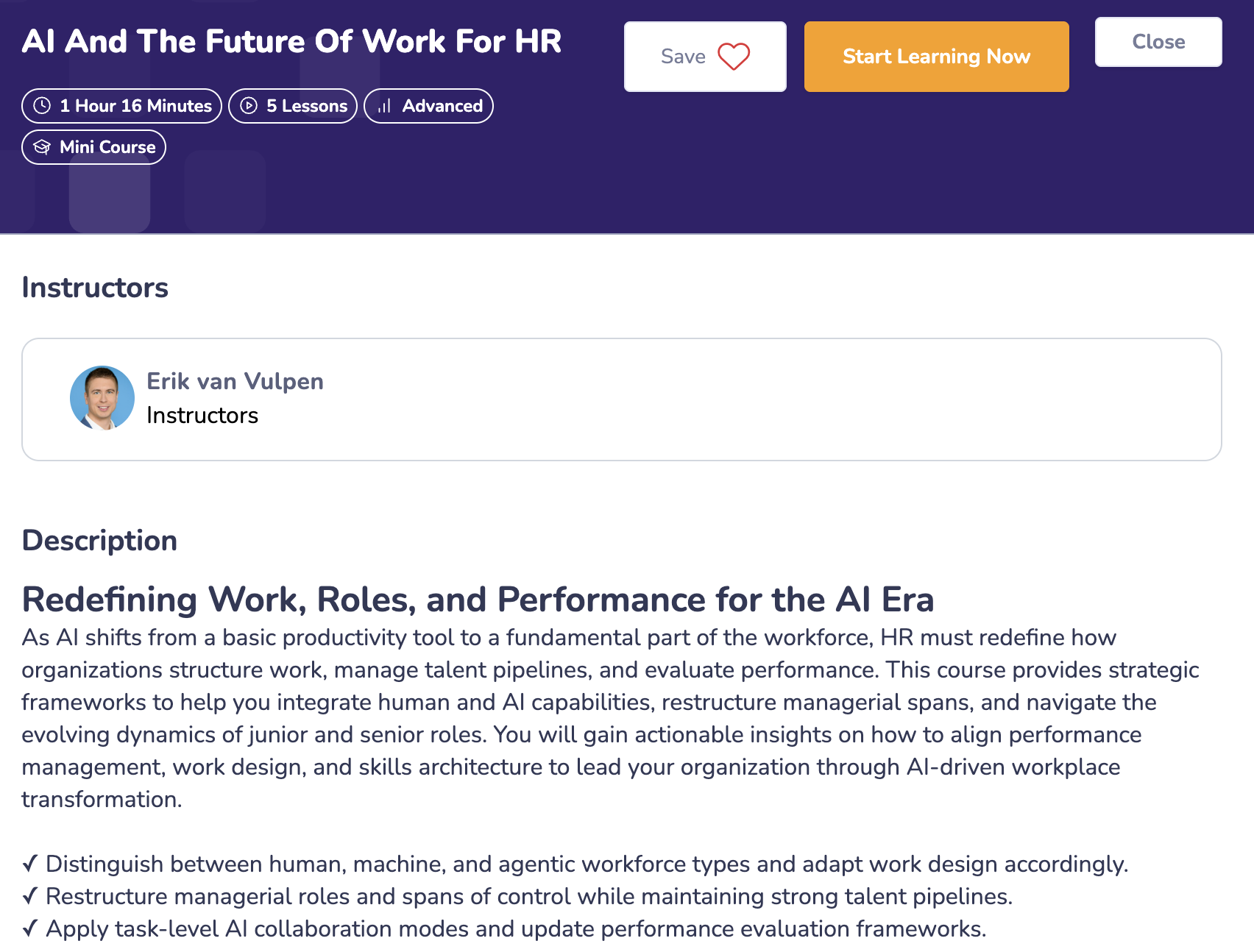
Once you've found a Certificate Program or Course you're interested in, click on it to open its overview page. Here, you can explore the course content and see the lessons and learning activities included.
When you're ready, click Start Learning Now to begin, or use the available option to continue your learning if you've already started.
As you work through the lessons, use the Next button to move forward through the course materials.
Your learning progress is saved automatically, so you can return and continue where you left off. You can also revisit previously completed lessons and courses whenever you need to review something.
Access your learning through My Home
Once you've started learning, you can also use your My Home page to quickly return to your courses without having to search for them again.
On this page, you'll find an overview of:
- Courses you've started, allowing you to pick up where you left off.
- Courses assigned to you, if you're learning through a Team License and your organization has assigned you specific courses.
For more information about this page and its features, see our My Home guide.
What can I expect from my lessons?
AIHR courses combine different learning activities to help you understand new concepts and apply them in practice. Depending on the course, these may include:
- Video lessons: Learn new concepts through pre-recorded lessons and practical examples.
- Quizzes and assignments: Check your understanding and practice applying what you've learned.
- Case studies and practical exercises: Explore how HR concepts can be applied in real-world situations.
- Downloadable materials: Access additional reading materials, templates, and other resources to support your learning.
Our lessons follow the Tell-Show-Do-Apply method, helping you move from understanding a concept to putting it into practice.
Completing a Certificate Program
Certificate Programs also include a final Capstone, which consists of an optional, self-reviewed assignment and a required multiple-choice exam.
For more information about the requirements and how to complete it, see our Capstone guide.
How can I get academic support?
If you have questions about something covered in your lessons, you can ask them directly in the comment section underneath the relevant lesson.
This is the best place to ask content-related questions, whether you need clarification on a concept or help understanding an example. Our team will respond to your question directly in the lesson discussion.
Need help planning your learning?
If you're unsure where to start or which courses best match your goals, our Learning Coaches can help you create a personalized learning plan based on your experience, interests, and development needs.
You can book a session with a Learning Coach here.
Having technical or account-related difficulties?
If you're experiencing issues accessing your courses, tracking your progress, or using the learning platform, please contact our Support Team for assistance.
We hope this guide helps you find your way around the Academy and make the most of your learning experience. Happy learning!